sseupdated 24d ago
Real-time messaging for coding agents — pub/sub, presence and history your agent provisions itself, from the command line.
What can you do with remote mcp?
oddsockets




Real-time messaging for coding agents — pub/sub, presence and history your agent provisions itself, from the command line.
Prototype in one command. Ship the same channels to production — no rewrite.
Your agent can write the app but can't give it a real-time backbone without you stopping to wire up a messaging service. oddsockets is the CLI the agent runs itself: one install, and it signs up, mints its own key, and starts publishing and subscribing to live channels — the same channels that carry your production traffic. Zero dependencies.
Works with: Claude Code · Cursor · Cline · Windsurf · Aider · Codex · any terminal
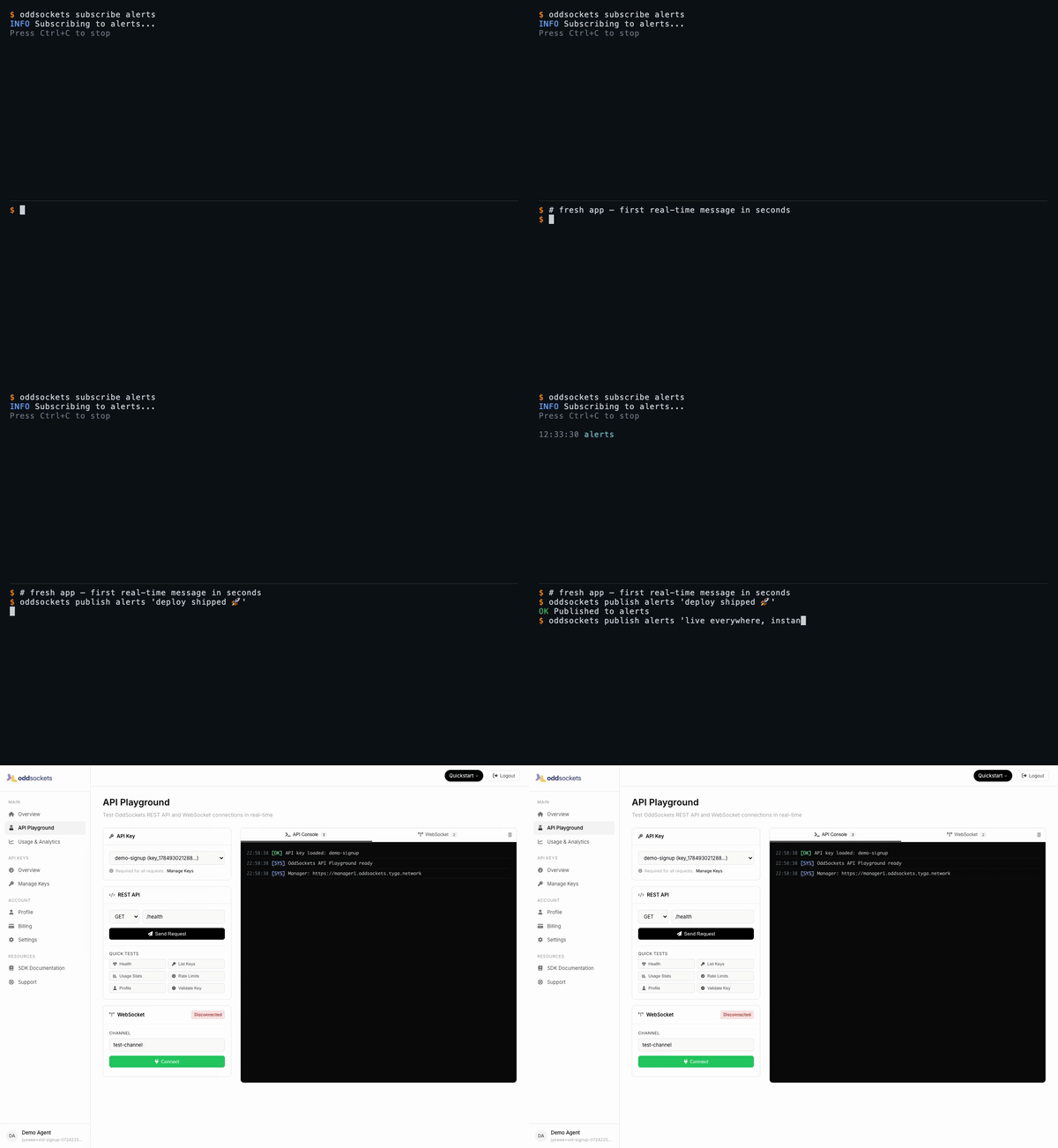
Signup to your first real-time message in 60 seconds — watch the full demo.
See it live
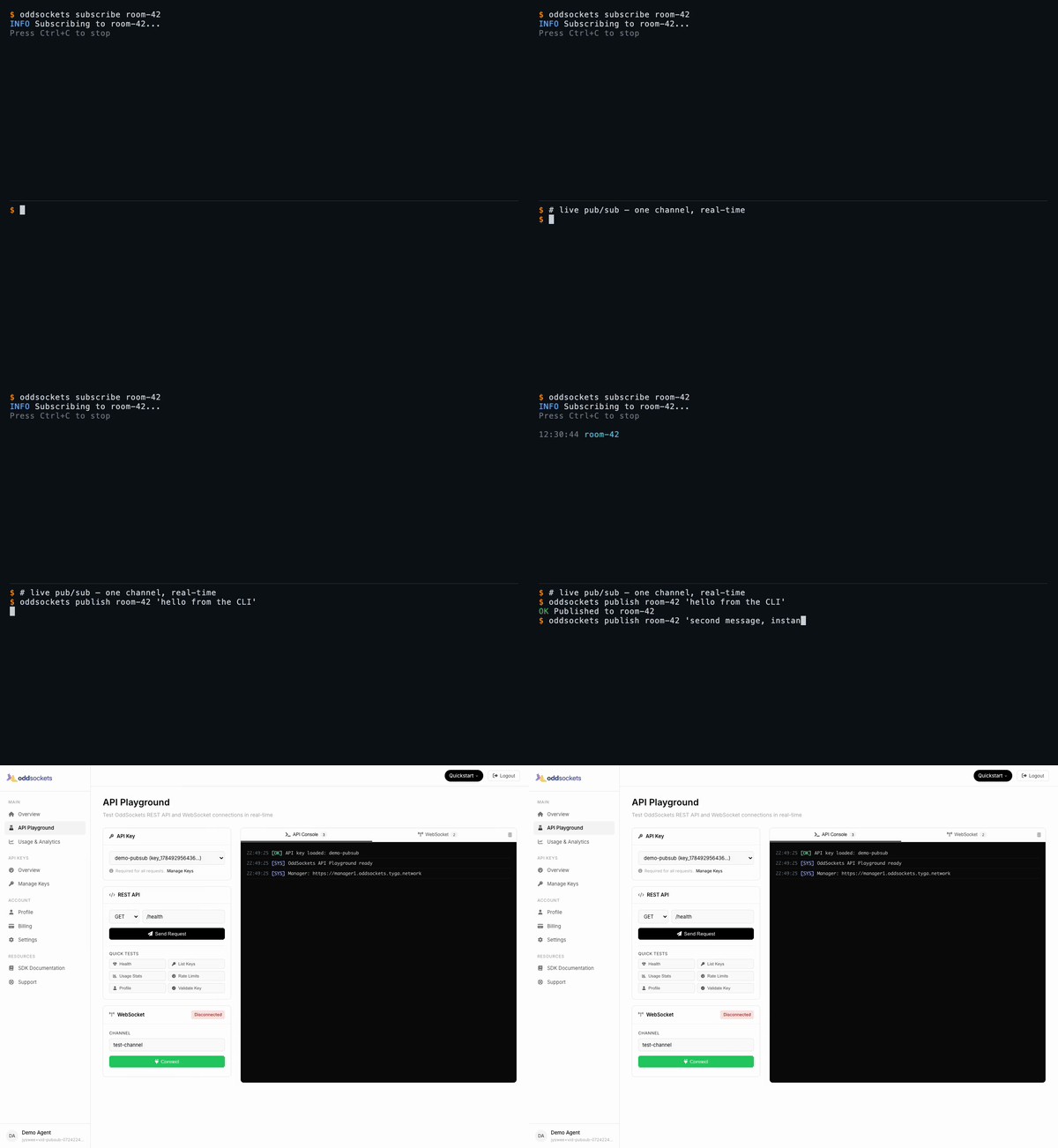
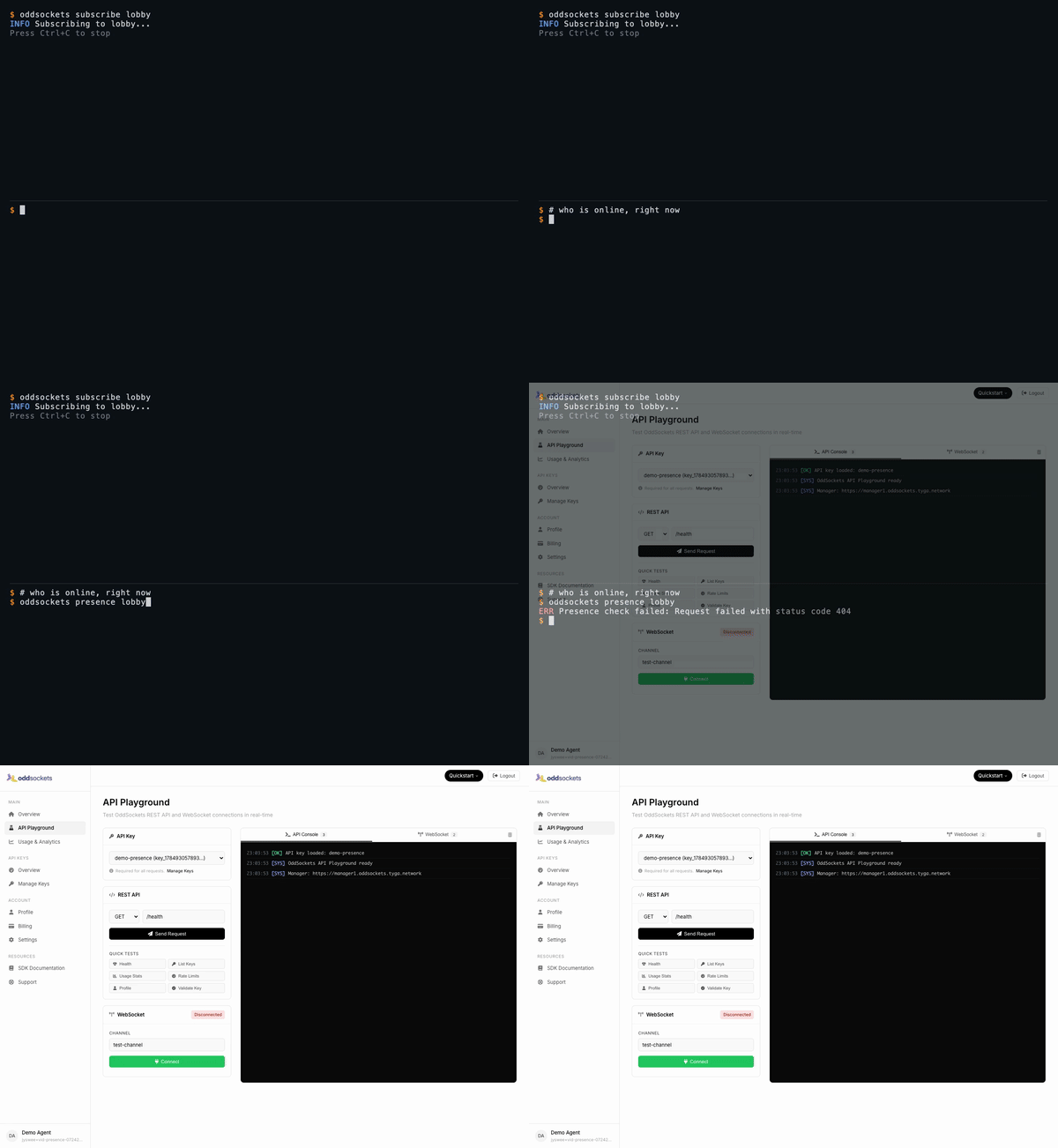
Each demo below is a real CLI session — a throwaway account, a real key, real messages over the live cluster — stitched to the developer dashboard showing that same traffic. Click any tab for the full-res video.
| Signup → first message | Live pub/sub | Who's online | Agent integration |
|---|---|---|---|
|
 |
 |
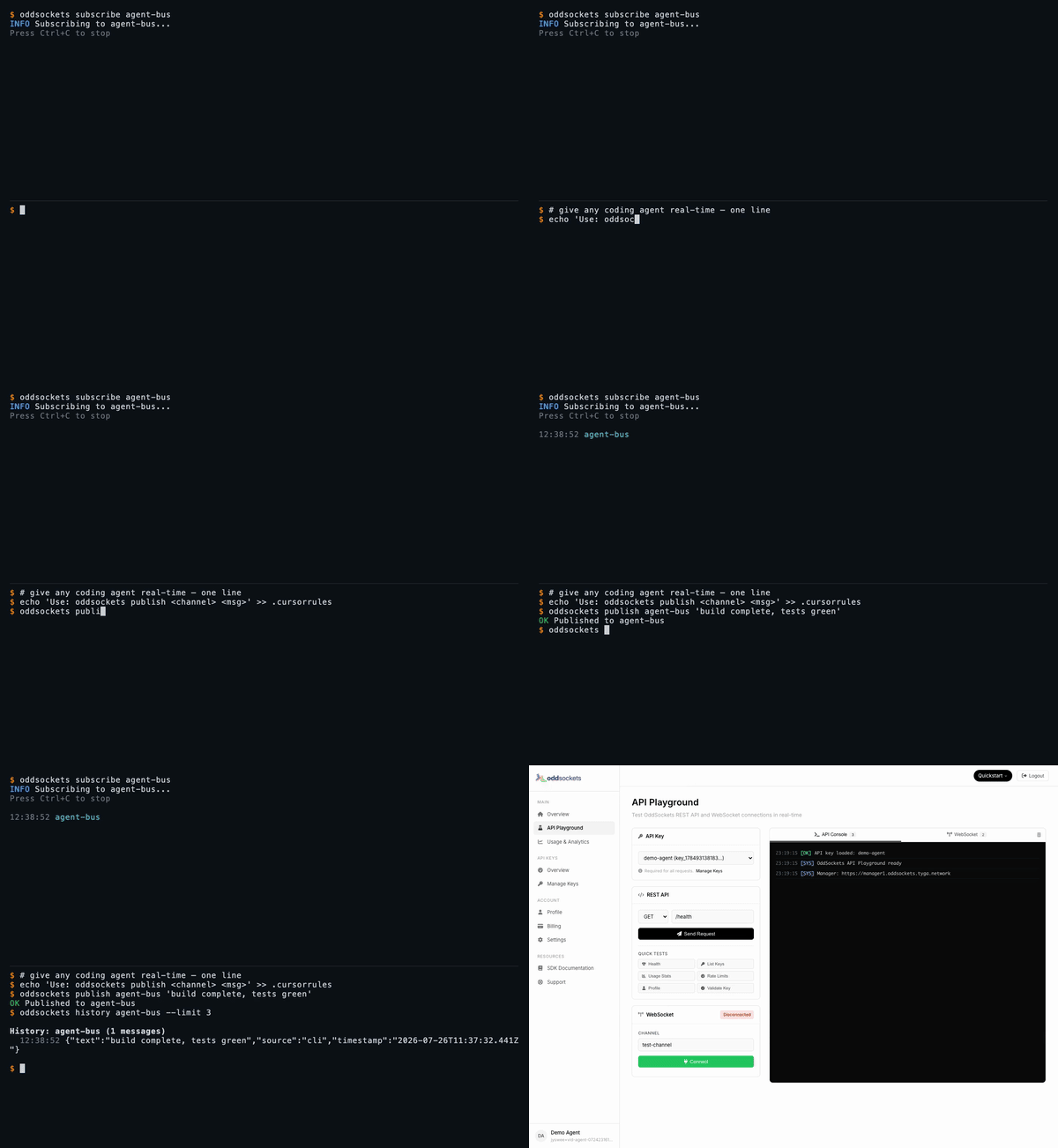 |
| Fresh app, first message in seconds | One channel, two messages, instant | Live member list | publish + history in one line |
Watch the full set on oddsockets.com →
Install
npm install -g oddsockets
Quick Start
# 1. Sign up (instant API key, no email verification)
oddsockets signup my-app --local

# 2. Publish a message
oddsockets publish my-channel "Hello from the CLI!"

# 3. Subscribe (live tail)
oddsockets subscribe my-channel

# 4. Check who's online
oddsockets presence my-channel
Pub/sub — one channel, real-time
The core primitive: publish to a channel, subscribe to tail it live. Every subscriber gets every message the instant it lands — no polling, no queue to run.
oddsockets subscribe room-42 &                     # live tail in the background
oddsockets publish room-42 "hello from the CLI"    # arrives on the tail instantly
oddsockets publish room-42 --file payload.json     # publish structured data from a file
Presence — who's online, right now
Ask any channel who's connected. Presence is tracked server-side and updates in real time as clients join and leave.
oddsockets subscribe lobby &     # join the channel
oddsockets presence lobby        # live member list
History — replay what you missed
Channels keep a rolling message history, so a client that connects late (or your agent after a context reset) can catch up.
oddsockets history agent-bus --limit 10
Agent Integration
Add to your CLAUDE.md, .cursorrules, .clinerules, or .windsurfrules:
## OddSockets
Use the `oddsockets` CLI for real-time messaging.
Key is in .oddsockets/config.json (auto-loaded).

oddsockets status                           # cluster health
oddsockets publish my-channel "message"     # send message
oddsockets subscribe my-channel             # live tail
oddsockets presence my-channel              # who's online
oddsockets keys                             # list API keys
MCP Server (remote)
Prefer tools over a CLI? No install needed — point Claude Web, Claude Desktop, Cursor, Cline, Windsurf, Raycast, or any MCP client at our hosted server and your agent gets 12 native tools: publish, history, presence, channels and API-key management.
URL:  https://mcp.oddsockets.ai/sse
Auth: Authorization: Bearer YOUR_API_KEY
No key yet? Connect keyless and call oddsockets_get_started, then oddsockets_signup to self-provision an app and mint your own key — then reconnect with the Bearer header to unlock every tool. Same account, same channels as the CLI.
Commands
Setup
| Command | Description |
|---|---|
oddsockets signup <app> [--email x] [--local] |
Sign up, get instant API key |
oddsockets login --key KEY [--local] |
Save existing API key |
oddsockets logout [--local] |
Clear config |
oddsockets me |
Account info + plan |
oddsockets status |
Cluster health + platform stats |
Messaging
| Command | Description |
|---|---|
oddsockets publish <channel> "message" |
Publish message |
oddsockets publish <channel> --file data.json |
Publish from file |
oddsockets subscribe <channel> |
Live tail (Ctrl+C to stop) |
oddsockets history <channel> [--limit 10] |
Message history |
oddsockets presence <channel> |
Channel members |
Channels
| Command | Description |
|---|---|
oddsockets channels |
List channels |
oddsockets channel create <name> |
Create channel |
oddsockets channel delete <name> |
Delete channel |
API Keys
| Command | Description |
|---|---|
oddsockets keys |
List API keys |
oddsockets key create "name" |
Create new key |
oddsockets key revoke <id> |
Revoke key |
Admin (superadmin)
Operator commands for running the whole platform from the CLI — fleet monitoring, tenant/key provisioning, session and security management. Credentials span three planes; save them once with oddsockets admin login (manager analytics key, worker dashboard basic-auth, and the tenant superadmin key). Every command supports --json for scripting, and the live monitors support --watch.
| Command | Description |
|---|---|
oddsockets admin login [--key K] [--tenant-key T] [--worker-url U --dashboard-pass P] |
Save credentials for any plane |
oddsockets admin config |
Show configured planes (redacted) |
oddsockets admin fleet [--watch] [--interval N] |
Fleet health + per-worker traffic table |
oddsockets admin telemetry [--watch] |
Live fleet telemetry (no key needed) |
oddsockets admin worker <id> [--watch] |
Per-worker deep metrics (dashboard plane) |
oddsockets admin worker <id> <section> |
One worker dashboard panel (all for every panel) |
oddsockets admin worker drain <id> --confirm |
Deregister/drain a worker from the LB |
oddsockets admin worker redis-toggle <id> --confirm |
Flip a worker's redis adapter |
oddsockets admin disk [--watch] |
Manager disk cards (summary/usage/io) |
oddsockets admin cache [--watch] |
Manager apikey cache hit-rate stats |
oddsockets admin analytics [mau|dau] [<apiKeyId>] [--watch] |
MAU/DAU top tenants + per-key rollups |
oddsockets admin analytics history <apiKeyId> |
30-day MAU/DAU trend (dashboard charts) |
oddsockets admin session stats [--watch] |
Sticky-session stats + per-worker counts |
oddsockets admin session get <id> |
Inspect one session |
oddsockets admin session reassign <id> --confirm |
Move a session off its worker |
oddsockets admin session cleanup --confirm |
Purge stale sessions |
oddsockets admin apikey mint <name> [--plan P] |
Provision a connectable tenant key |
oddsockets admin users [--worker URL] [--status S] |
Live connected users (worker plane) |
oddsockets admin security status |
Blocked + whitelisted IPs |
oddsockets admin security whitelist <ip> |
Whitelist an IP (also unblocks it) |
oddsockets admin security block <ip> --confirm |
Block an IP at the manager edge |
oddsockets admin security clear --confirm |
Clear all blocked IPs |
Worker dashboard sections (admin worker <id> <section>): stats, channels, connections, telemetry, messages, recent, threads, dms, notifications, reactions, files, presence, receipts, disk, redis, or all.
Flags
--json— Machine-readable JSON output (every command)--key KEY— Override API key for one command--local— Use project-local config (.oddsockets/)--watch— Live-refresh admin monitors (fleet/worker/session/analytics)--interval N— Refresh interval in seconds for--watch(default 5)--confirm— Required for destructive admin ops (drain, block, cleanup, …)--help— Help
Config Priority
--keyflagODDSOCKETS_API_KEYenvironment variable.oddsockets/config.jsonin project directory~/.oddsockets/config.jsonin home directory
Pricing
7-day free trial on every plan. Card required (secure Stripe checkout), nothing charged during the trial — cancel before it ends and you pay nothing. Agents and the CLI get a 48-hour keyless window to prototype before a key is needed. Plans from $29/mo. Details.
SDKs
Prefer to build it into your app? OddSockets ships a native SDK for every major language and runtime — same real-time channels, pub/sub, and presence, idiomatic to each stack. Each card links to its maintained repo; for a 60-second install + connect snippet in your language, see examples/.
| Language / Runtime | Repo | Highlights |
|---|---|---|
| Node.js | oddsockets-nodejs-sdk | Server-side, npm |
| JavaScript | oddsockets-javascript-sdk | Browser + Node.js |
| TypeScript / Svelte | oddsockets-svelte-sdk | Reactive stores |
| React Native | oddsockets-react-native-sdk | Mobile |
| Flutter / Dart | oddsockets-flutter-sdk | Cross-platform mobile |
| Python | oddsockets-python-sdk | AsyncIO |
| Go | oddsockets-go-sdk | Goroutine-safe |
| Rust | oddsockets-rust-sdk | Tokio async |
| Java | oddsockets-java-sdk | Maven |
| Kotlin | oddsockets-kotlin-sdk | Coroutines |
| C# / .NET | oddsockets-csharp-sdk | NuGet |
| C++ | oddsockets-cpp-sdk | C++17 |
| C | oddsockets-c-sdk | Embedded / IoT |
| PHP | oddsockets-php-sdk | Composer |
| Ruby | oddsockets-ruby-sdk | Gem |
| Swift | oddsockets-swift-sdk | SPM + Combine |
| Elixir | oddsockets-elixir-sdk | GenServer / OTP |
| Unity | oddsockets-unity-sdk | MonoBehaviour |
| Unreal Engine | oddsockets-unrealengine-sdk | UE5 |
Get Accredited
Prove you can build and operate real-time features on OddSockets — channels, presence, pub/sub, delivery guarantees and production liveops — on the stack itself. Three tiers (TCU / TCA / TCP), certified through tyga.games and delivered on ClassaaS.
Get accredited on tyga.games →
Links
Install
Add remote mcp to your client. Pick the one you use.
claude mcp add --transport sse remote-mcp https://mcp.oddsockets.ai/ssecodex mcp add remote-mcp --url https://mcp.oddsockets.ai/sse{
"mcpServers": {
"remote-mcp": {
"url": "https://mcp.oddsockets.ai/sse"
}
}
}Add to `~/.cursor/mcp.json`, or `.cursor/mcp.json` for a single project.
{
"servers": {
"remote-mcp": {
"type": "sse",
"url": "https://mcp.oddsockets.ai/sse"
}
}
}Add to `.vscode/mcp.json` in your workspace.
{
  "mcpServers": {
    "remote-mcp": {
      "url": "https://mcp.oddsockets.ai/sse"
    }
  }
}
Add to `claude_desktop_config.json`, then restart Claude Desktop.
{
  "mcpServers": {
    "remote-mcp": {
      "serverUrl": "https://mcp.oddsockets.ai/sse"
    }
  }
}
Add to `~/.codeium/windsurf/mcp_config.json`.
Score
39 / 100
Incomplete
- Documentation25/25
- Maintenance19/25
- Trust6/20
- Capability0/15
- Install experience12/15
- Documents what it does and how to connect
- Has a resolvable package or endpoint
- Exposes at least one tool, prompt or resource
- README has substantive content
- Includes a code example
- Documents its configuration
- Mentions credentials or security posture
- Last commit 17 days ago
- Has a release history
- Repository is not archived
- No licence detected
- Namespace verified in the official MCP registry
- Claimed by its owner
- Published under an organisation
- 0 tool(s) documented
- Provides prompt templates
- Provides resources
- 6 documented install method(s)
- Published to a package registry
- Offers a hosted endpoint — no local install
Version history
| Versions | Published |
|---|---|
| 1.0.0Latest | Aug 12, 2026 |