
pypi windows-management-mcp-serverstdioMITupdated 2mo ago
Windows Management MCP Server is a Python-based Model Context Protocol server for local Windows diagnostics, task management, cleanup, hardware inspection, security checks, and administrative workflows.
What can you do with Windows Management?
Windows Management MCP Server
Windows Management MCP Server is a Python-based Model Context Protocol server for local Windows diagnostics, task management, cleanup, hardware inspection, security checks, and administrative workflows.
It exposes 96 tools over stdio and is designed for local assistants such as Claude Desktop, Cursor, VS Code extension hosts, and other MCP-compatible clients.
Important: This server runs with the privileges of the user account that starts it. Several tools can change system state, delete files, edit the Registry, manage services, install updates, or execute PowerShell. Use the read-only and dry-run tools first, and only enable destructive actions after reviewing the target paths and commands.
Demo
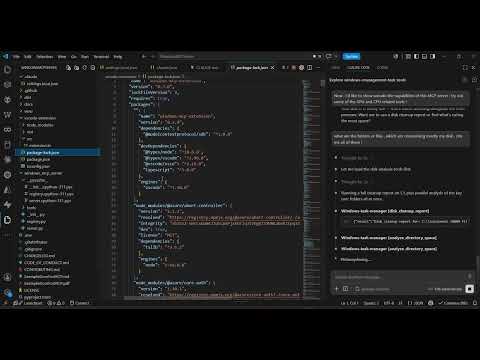
Watch the demo: https://youtu.be/1GNk_GYYkww
What It Can Do
- Task manager: CPU, GPU, memory, disk usage, top processes, process trees, process details, suspend/resume/kill.
- Storage cleanup: disk usage, largest folders/files, duplicate detection, old files, media discovery, Recycle Bin deletion, temp cleanup.
- Hardware and drivers: GPU details, NVIDIA
nvidia-smiprobes, display configuration, installed drivers, problem devices, driver update candidates. - Windows security: Defender status/scans, firewall rules, BitLocker, Secure Boot, UAC, Windows Update status.
- System administration: services, startup apps, scheduled tasks, event logs, crash diagnostics, restore points.
- Network diagnostics: interfaces, active sockets, listening ports, firewall correlation, ping latency.
- Developer environment: Python/Node discovery, environment variables, common dev ports.
- Shell helpers: Explorer open/select, screenshots, clipboard, visible windows.
- Peripherals and virtualization: printers, print queues, audio, Bluetooth, WSL, Hyper-V, optional Windows features.
For the complete tool catalog, see docs/TOOLS.md.
Requirements
- Windows 10/11 or Windows Server with PowerShell available.
- Python 3.10 or newer.
- Some tools require Administrator privileges or Windows features/modules that may not be installed on every machine.
- Optional vendor data, such as NVIDIA GPU telemetry, requires vendor tools like
nvidia-smionPATH.
Installation
From PyPI:
pip install windows-management-mcp-server
Create a virtual environment and install the package in editable mode:
python -m venv venv
.\venv\Scripts\Activate.ps1
pip install -e .
Both install paths register the windows-mcp-server command in the active environment.
MCP Client Configuration
For clients that can launch a stdio MCP server, use:
{
  "mcpServers": {
    "windows-management": {
      "command": "windows-mcp-server",
      "args": []
    }
  }
}
If the command is not on PATH, point directly at the local virtual environment:
{
  "mcpServers": {
    "windows-management": {
      "command": "C:\\path\\to\\WindowsMCPServer\\venv\\Scripts\\python.exe",
      "args": ["-m", "windows_mcp_server.server"],
      "env": {
        "PYTHONPATH": "C:\\path\\to\\WindowsMCPServer"
      }
    }
  }
}
Running Locally
windows-mcp-server
Or:
python -m windows_mcp_server.server
The server uses stdio transport and is normally launched by an MCP client rather than run interactively.
VS Code Extension
The vscode-extension/ folder contains a small VS Code extension that launches this MCP server from the repo-local virtual environment first, then falls back to a global windows-mcp-server.
cd vscode-extension
npm install
npm run compile
Open vscode-extension/ in VS Code and press F5 to start an Extension Development Host.
Safety Model
Tools are intentionally mixed across read-only, safer mutation, and sharp mutation categories.
- Prefer report tools first:
disk_cleanup_report,get_security_status,get_windows_update_status,list_scheduled_tasks,get_process_details. - Prefer safe deletion:
safe_delete_to_recycle_bin,safe_delete_many_to_recycle_bin,safe_delete_by_patternwithdry_run=true. - Treat these as sharp tools:
execute_powershell, Registry writes/deletes, permanent file deletion, service changes, update installation, process termination, restore point creation.
See docs/SECURITY_MODEL.md before exposing this server to an assistant you do not fully trust.
Development
Compile-check the Python package:
.\venv\Scripts\python.exe -m compileall windows_mcp_server
Check the registered tool count:
.\venv\Scripts\python.exe -c "from windows_mcp_server.registry import register_all_tools, registered_tools; Dummy=type('Dummy',(),{'tool':lambda self: (lambda f:f)}); register_all_tools(Dummy()); print(len(registered_tools))"
Compile the VS Code extension:
cd vscode-extension
npm run compile
Repository Structure
windows_mcp_server/        Python MCP server package
windows_mcp_server/tools/  Tool modules grouped by Windows domain
vscode-extension/          Optional VS Code extension wrapper
docs/                      Tool catalog, security model, publishing guide
server.json                MCP Registry metadata
pyproject.toml             Python package metadata
Publishing
This repository includes server.json for the MCP Registry and PyPI-compatible package metadata.
See docs/PUBLISHING.md for the full GitHub, PyPI, and MCP Registry release flow.
License
MIT. See LICENSE.
Install
Add Windows Management to your client. Pick the one you use.
claude mcp add windows-management-mcp-server -- uvx windows-management-mcp-servercodex mcp add windows-management-mcp-server -- uvx windows-management-mcp-serveramp mcp add windows-management-mcp-server -- uvx windows-management-mcp-server{
"mcpServers": {
"windows-management-mcp-server": {
"command": "uvx",
"args": [
"windows-management-mcp-server"
]
}
}
}Add to `claude_desktop_config.json`, then restart Claude Desktop.
{
  "mcpServers": {
    "windows-management-mcp-server": {
      "command": "uvx",
      "args": [
        "windows-management-mcp-server"
      ]
    }
  }
}
Add to `~/.cursor/mcp.json`, or `.cursor/mcp.json` for a single project.
code --add-mcp '{"name":"windows-management-mcp-server","command":"uvx","args":["windows-management-mcp-server"]}'Or add the block manually to `.vscode/mcp.json` under `servers`.
{
  "mcpServers": {
    "windows-management-mcp-server": {
      "command": "uvx",
      "args": [
        "windows-management-mcp-server"
      ]
    }
  }
}
Add to `~/.codeium/windsurf/mcp_config.json`.
{
  "mcpServers": {
    "windows-management-mcp-server": {
      "command": "uvx",
      "args": [
        "windows-management-mcp-server"
      ]
    }
  }
}
Add to `cline_mcp_settings.json` via the MCP Servers panel.
{
  "mcpServers": {
    "windows-management-mcp-server": {
      "command": "uvx",
      "args": [
        "windows-management-mcp-server"
      ]
    }
  }
}
Add to `~/.gemini/settings.json`.
{
  "mcpServers": {
    "windows-management-mcp-server": {
      "type": "local",
      "command": "uvx",
      "args": [
        "windows-management-mcp-server"
      ],
      "tools": [
        "*"
      ]
    }
  }
}
Add to `~/.copilot/mcp-config.json`, or run `/mcp add` inside the CLI.
{
  "context_servers": {
    "windows-management-mcp-server": {
      "command": {
        "path": "uvx",
        "args": [
          "windows-management-mcp-server"
        ]
      }
    }
  }
}
Add to your Zed `settings.json`.
uvx windows-management-mcp-serverRun `goose configure`, choose **Add Extension → Command-line Extension**, and paste this command.
Score
39 / 100
Incomplete
- Documentation25/25
- Maintenance16/25
- Trust13/20
- Capability0/15
- Install experience12/15
- Documents what it does and how to connect
- Has a resolvable package or endpoint
- Exposes at least one tool, prompt or resource
- README has substantive content
- Includes a code example
- Documents its configuration
- Mentions credentials or security posture
- Last commit 68 days ago
- Has a release history
- Repository is not archived
- Licensed MIT
- Namespace verified in the official MCP registry
- Claimed by its owner
- Published under an organisation
- 0 tool(s) documented
- Provides prompt templates
- Provides resources
- 12 documented install method(s)
- Published to a package registry
- Offers a hosted endpoint — no local install
Version history
| Versions | Published |
|---|---|
| 0.3.1Latest | Jun 14, 2026 |