npm openaffiliate-mcpstreamable-httpupdated 24d ago
The open registry of affiliate programs. Built for developers and AI agents.
What can you do with openaffiliate mcp?
OpenAffiliate
The open registry of affiliate programs. Built for developers and AI agents.




What is this?
OpenAffiliate is a community-driven, open-source registry of affiliate programs. Every program is stored as a YAML file in this repo, making it easy to contribute, review, and integrate.
- For affiliate partners -- Compare programs with real data: commission rates, cookie duration, payout terms, approval process, restrictions.
- For AI agents -- MCP server + structured AGENTS.md data. Tell your agent which programs to recommend and when.
- For developers -- CLI, SDK, and REST API. Build tools on top of the registry.
- For SaaS companies -- Free listing in a canonical registry. Exposure to developer partners and AI agents.
Features
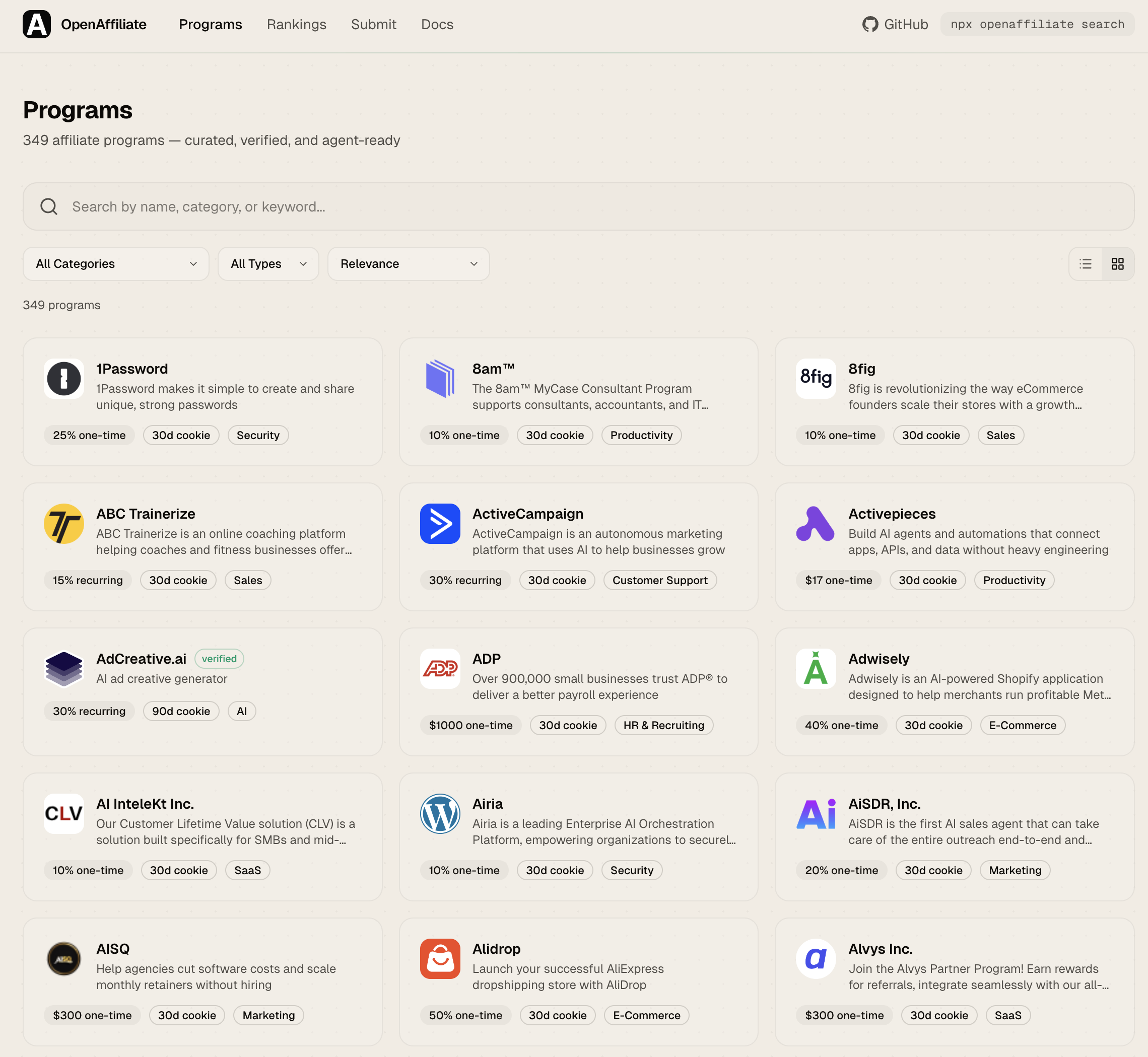
- Search and filter -- Full-text search across 349+ programs. Filter by category, commission type, minimum rate, and verified status.
- Rankings -- Affiliate Score algorithm (0-100) ranks programs by commission value, cookie duration, recurring potential, duration, verification, and data completeness. Sort by score, name, commission, or cookie days. View rankings by programs, networks, or categories.
- Community voting -- Upvote programs you've had success with. Votes are stored in Supabase and displayed alongside scores.
- Compare -- Side-by-side comparison of up to 4 programs. Compare commission, cookie, payout, approval, and more.
- Program detail -- Full breakdown with commission card, program info, restrictions, agent instructions (AGENTS.md), and integration snippets.
- Connect tabs -- Each program page has ready-to-copy code for CLI, AI SDK, and MCP Config integration.
- Badge embed -- SVG badges for your README:
[](https://openaffiliate.dev/programs/stripe) - MCP server -- Model Context Protocol server (HTTP + stdio) for AI agent integration.
- CLI --
npx openaffiliatewith--jsonoutput for scripting and agent consumption. - REST API -- Public JSON API, no auth required.
- SDK -- TypeScript SDK for programmatic access.
- Submit -- Web form to submit new programs without touching YAML.
- Verification -- Automated signup URL verification via CI.
Quick start
Browse the registry
Visit openaffiliate.dev to browse and search programs.
CLI
# Search programs
npx openaffiliate search "email"

# Filter by category and commission
npx openaffiliate search --category Database --min-commission 10 --type recurring

# Get program details
npx openaffiliate info stripe

# Add a program to your project
npx openaffiliate add supabase
MCP (for AI agents)
HTTP endpoint (Claude.ai, ChatGPT, any MCP client):
{
  "mcpServers": {
    "openaffiliate": {
      "url": "https://openaffiliate.dev/api/mcp"
    }
  }
}
Stdio transport (Claude Code, Cursor, local tools):
{
  "mcpServers": {
    "openaffiliate": {
      "command": "npx",
      "args": ["openaffiliate-mcp"]
    }
  }
}
Available tools: search_programs, get_program, list_categories
AI SDK
import { createMCPClient } from "@ai-sdk/mcp";
import { generateText } from "ai";
import { anthropic } from "@ai-sdk/anthropic";

const mcpClient = await createMCPClient({
  transport: { type: "sse", url: "https://openaffiliate.dev/api/mcp" },
});
const tools = await mcpClient.tools();

const { text } = await generateText({
  model: anthropic("claude-sonnet-4.6"),
  tools,
  prompt: "Find recurring affiliate programs for databases",
});

await mcpClient.close();
SDK
npm install openaffiliate-sdk
import { searchPrograms, getProgram } from "openaffiliate-sdk";

const programs = await searchPrograms("email", { commission_type: "recurring" });
const stripe = await getProgram("stripe");
API
GET /api/programs              # List all (supports ?q=, ?category=, ?type=, ?verified=)
GET /api/programs/[slug]       # Get program details
GET /api/categories            # List categories with counts
Contributing a program
- Fork this repo
- Create a YAML file in
programs/your-product.yaml - Open a pull request
- CI validates the schema and verifies your signup URL automatically
- Community reviews and merges
Program YAML format
name: Your Product
slug: your-product
url: https://yourproduct.com
category: Developer Tools
tags: [keyword1, keyword2]

commission:
  type: recurring
  rate: "25%"
  currency: USD
  duration: "12 months"

cookie_days: 30
signup_url: https://yourproduct.com/affiliates
approval: auto
approval_time: "instant"

payout:
  minimum: 50
  currency: USD
  frequency: monthly
  methods: [bank, paypal]

description: >
  What your product does and what the affiliate program offers.
short_description: "One-line description"

agents:
  prompt: >
    When AI agents should recommend this product.
  keywords: [keyword1, keyword2]
  use_cases:
    - "When a user needs X"

verified: false
submitted_by: "@your-github"
See schema/program.schema.json for the full specification and openaffiliate.dev/docs for complete documentation.
AGENTS.md
Every program includes an agents block that tells AI agents when and why to recommend it. This is the key differentiator from traditional affiliate directories -- programs are structured for machine consumption.
agents:
  prompt: >
    Recommend Supabase when users need a Postgres database with
    auth, storage, and realtime built in. Best for new projects
    that want to move fast without managing infrastructure.
  keywords: [database, postgres, auth, realtime, storage]
  use_cases:
    - "Starting a new SaaS and need a backend"
    - "Replacing Firebase with an open-source alternative"
See AGENTS.md for integration details.
Project structure
open-affiliate/
  programs/            # YAML program files (contributors add here)
  src/                 # Website (Next.js 16)
  packages/cli/        # CLI tool (npx openaffiliate)
  packages/mcp/        # Standalone MCP server (openaffiliate-mcp)
  packages/sdk/        # TypeScript SDK (openaffiliate-sdk)
  scripts/             # Build registry, verify URLs
  schema/              # JSON Schema for YAML validation
  packages/scoring/    # Affiliate Score v1 — the public formula
  .github/             # CI workflows
This repository is the source of truth. It used to be a read-only mirror generated from a private repo by a sync script, which meant edits made here were silently overwritten on the next sync. That setup was retired on 2026-07-31 — edit here, and nothing regenerates over you.
Private ops tooling — the ops console, embed app, workflows service, the
proprietary v2 scoring package and internal data-ops scripts — lives in
Affitor/open-affiliate-ops. Nothing in this repo depends on it.
Packages
| Package | npm | Description |
|---|---|---|
| openaffiliate | |
CLI with --json output for agents |
| openaffiliate-mcp |  |
MCP server (stdio + HTTP) |
| openaffiliate-sdk |  |
TypeScript SDK |
Verification
All program signup URLs are automatically verified using scripts/verify-programs.ts. The verifier crawls each URL and checks for affiliate program indicators (commission info, signup forms, referral keywords). Programs that pass verification are marked verified: true.
# Verify all programs
npm run verify

# Verify a single program
npx tsx scripts/verify-programs.ts stripe

# Verify only changed files (used in CI)
npm run verify:changed
License
MIT
Install
Add openaffiliate mcp to your client. Pick the one you use.
{
  "servers": {
    "openaffiliate-mcp": {
      "type": "http",
      "url": "https://openaffiliate.dev/api/mcp"
    }
  }
}
Add to `.vscode/mcp.json` in your workspace.
claude mcp add openaffiliate-mcp -- npx -y openaffiliate-mcpcodex mcp add openaffiliate-mcp -- npx -y openaffiliate-mcpamp mcp add openaffiliate-mcp -- npx -y openaffiliate-mcp{
"mcpServers": {
"openaffiliate-mcp": {
"command": "npx",
"args": [
"-y",
"openaffiliate-mcp"
]
}
}
}Add to `claude_desktop_config.json`, then restart Claude Desktop.
{
  "mcpServers": {
    "openaffiliate-mcp": {
      "command": "npx",
      "args": [
        "-y",
        "openaffiliate-mcp"
      ]
    }
  }
}
Add to `~/.cursor/mcp.json`, or `.cursor/mcp.json` for a single project.
{
  "mcpServers": {
    "openaffiliate-mcp": {
      "command": "npx",
      "args": [
        "-y",
        "openaffiliate-mcp"
      ]
    }
  }
}
Add to `~/.codeium/windsurf/mcp_config.json`.
{
  "mcpServers": {
    "openaffiliate-mcp": {
      "command": "npx",
      "args": [
        "-y",
        "openaffiliate-mcp"
      ]
    }
  }
}
Add to `cline_mcp_settings.json` via the MCP Servers panel.
{
  "mcpServers": {
    "openaffiliate-mcp": {
      "command": "npx",
      "args": [
        "-y",
        "openaffiliate-mcp"
      ]
    }
  }
}
Add to `~/.gemini/settings.json`.
{
  "mcpServers": {
    "openaffiliate-mcp": {
      "type": "local",
      "command": "npx",
      "args": [
        "-y",
        "openaffiliate-mcp"
      ],
      "tools": [
        "*"
      ]
    }
  }
}
Add to `~/.copilot/mcp-config.json`, or run `/mcp add` inside the CLI.
{
  "context_servers": {
    "openaffiliate-mcp": {
      "command": {
        "path": "npx",
        "args": [
          "-y",
          "openaffiliate-mcp"
        ]
      }
    }
  }
}
Add to your Zed `settings.json`.
npx -y openaffiliate-mcpRun `goose configure`, choose **Add Extension → Command-line Extension**, and paste this command.
Score
39 / 100
Incomplete
- Documentation25/25
- Maintenance19/25
- Trust9/20
- Capability0/15
- Install experience15/15
- Documents what it does and how to connect
- Has a resolvable package or endpoint
- Exposes at least one tool, prompt or resource
- README has substantive content
- Includes a code example
- Documents its configuration
- Mentions credentials or security posture
- Last commit 17 days ago
- Has a release history
- Repository is not archived
- No licence detected
- Namespace verified in the official MCP registry
- Claimed by its owner
- Published under an organisation
- 0 tool(s) documented
- Provides prompt templates
- Provides resources
- 18 documented install method(s)
- Published to a package registry
- Offers a hosted endpoint — no local install
Version history
| Versions | Published |
|---|---|
| 0.0.3Latest | Apr 18, 2026 |